
Stop switching windows
Query a table, peek at the Kafka topic it feeds, replay the API call that wrote it, and restart the container — without leaving the workbench.
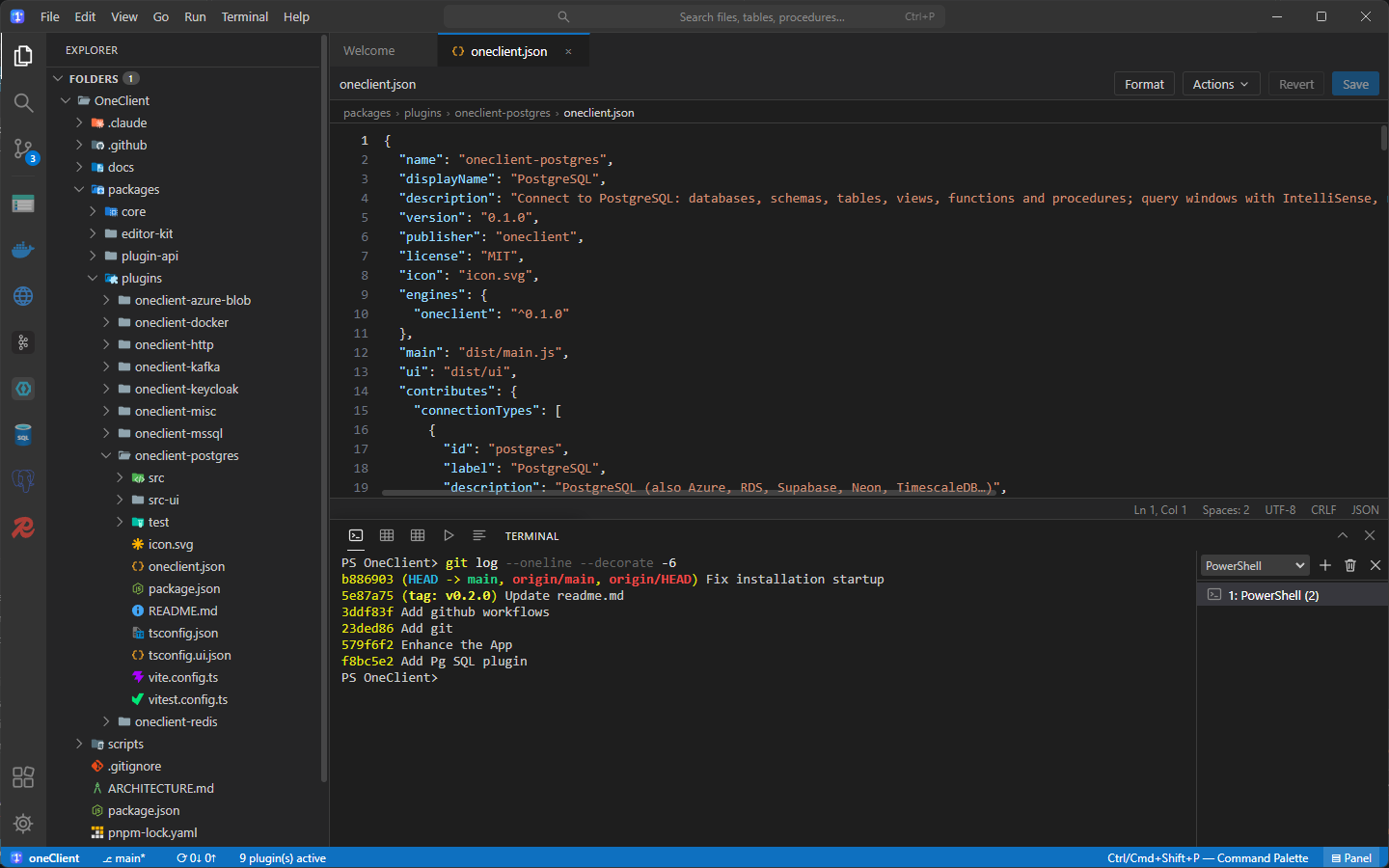
Query PostgreSQL, SQL Server and MySQL. Browse Kafka and Redis. Send REST requests. Spin up test containers and run scenarios against them. All in one fast, VS Code-style window — free, open source and extensible.
One workbench for
 PostgreSQL
 SQL Server
 MySQL & MariaDB
 Apache Kafka
 Redis
 Docker
 REST / HTTP
 Azure Blob
 Keycloak
Why oneClient
Backend work means a database IDE, a Kafka tool, a Redis browser, an API client, Docker Desktop, a terminal and a Git UI — each with its own login, shortcuts and window. oneClient puts them in one place, built like the editor you already know.
Query a table, peek at the Kafka topic it feeds, replay the API call that wrote it, and restart the container — without leaving the workbench.
Command palette, split editors, integrated terminal, Git graph, tasks, themes and the shortcuts already in your fingers. Nothing new to learn.
Every integration is a plugin with a typed API, running in its own process. Add the tool you need — no fork, no rebuild, no restart.
New · Fast Aggregates
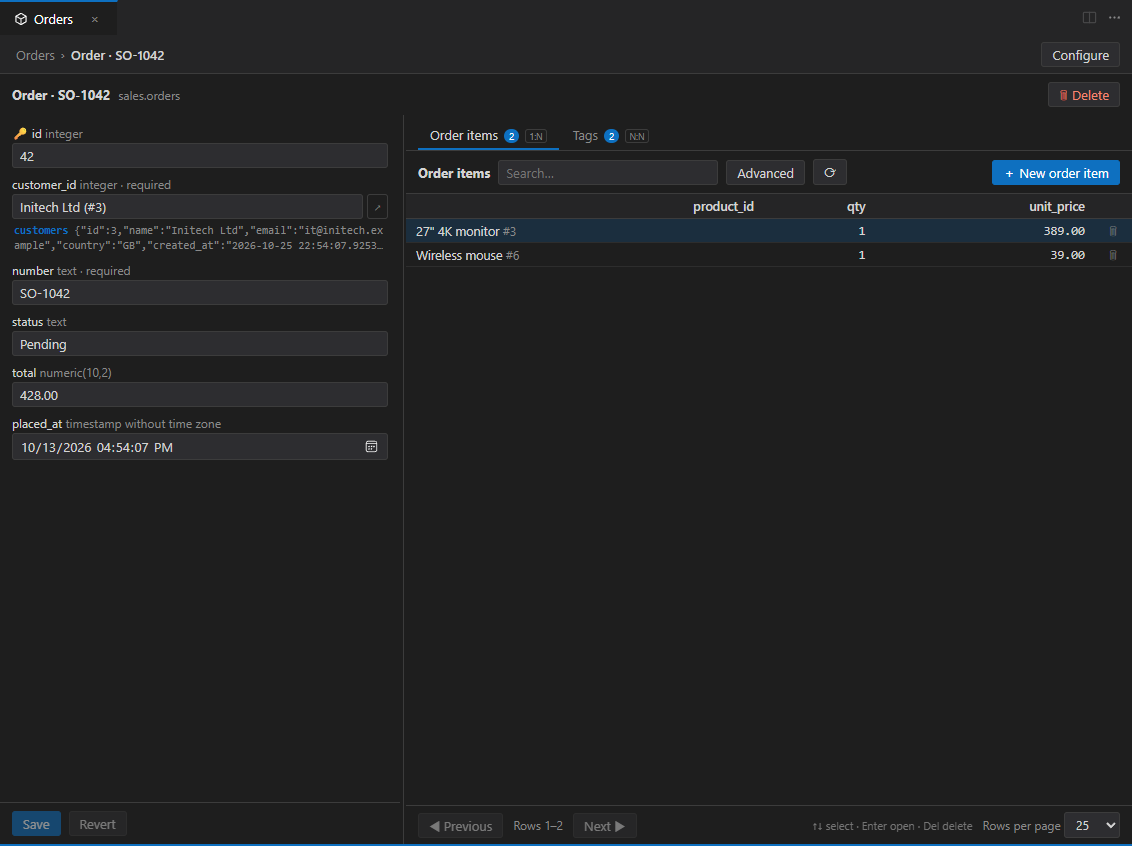
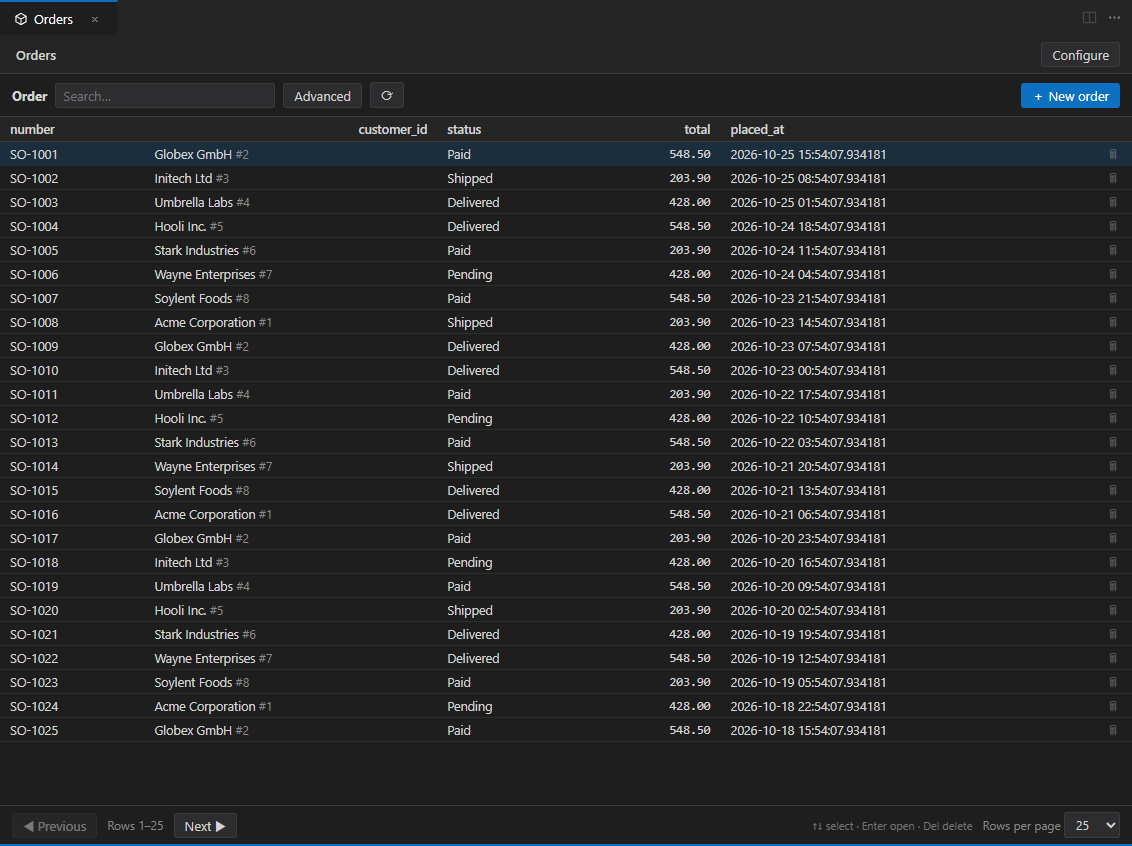
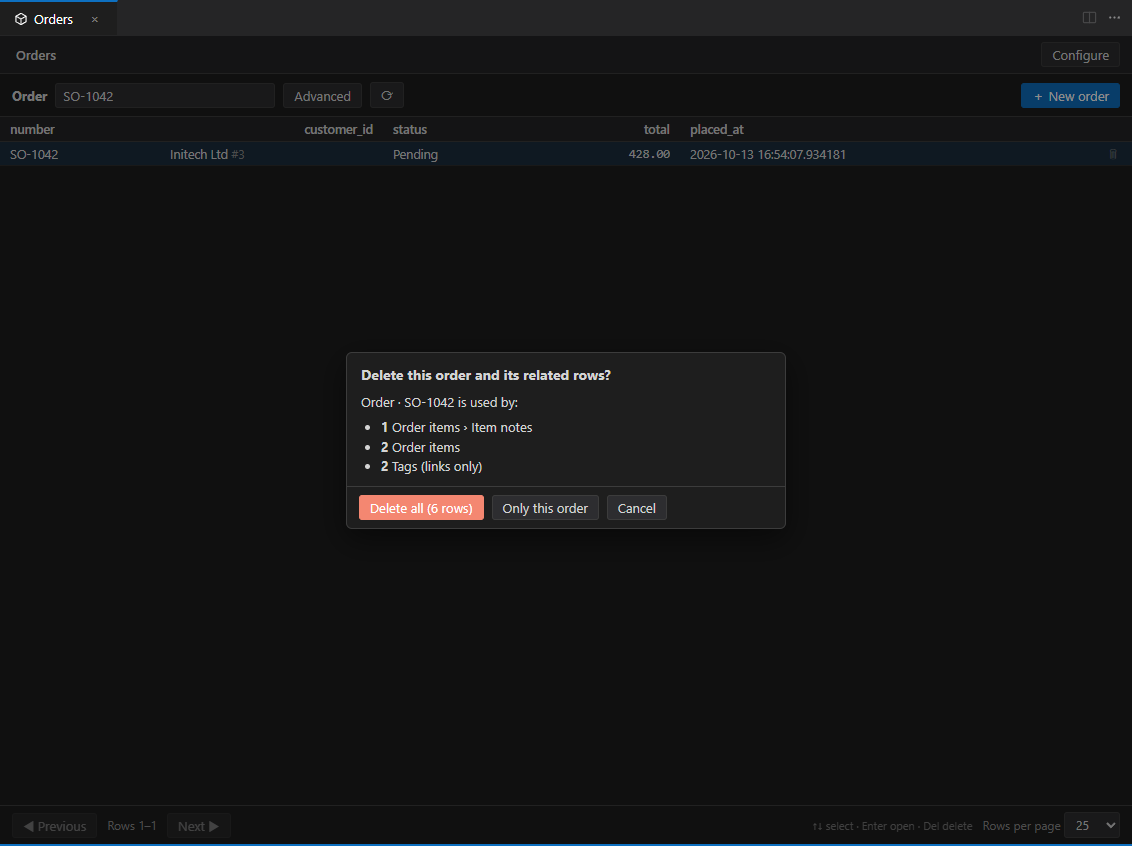
Right-click a table. oneClient reads your foreign keys and builds the aggregate: a paged list of orders; each order opens into a form with its items, payments and tags underneath — and every child opens the same way.
Works with PostgreSQL, SQL Server and MySQL. The configuration is a plain .aggregate.json you can commit.
New · Pipelines & test containers
Run a script, start a throwaway container, seed data, call your REST API and assert on the response — as ordered steps with variables, retries and teardown, like a CI job you can run from your desk.
postgres:16, wait until it accepts connectionsPOST /orders → assert status = 201{{steps.db.endpoint}}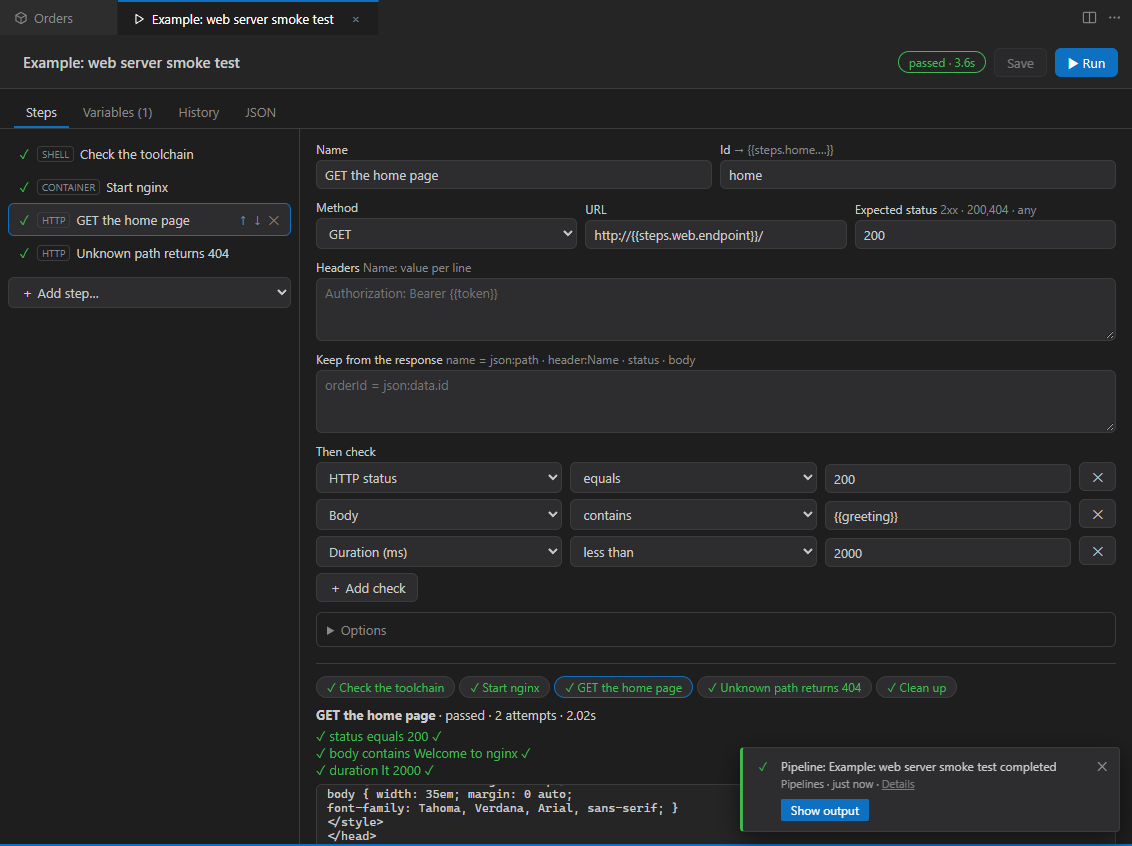
Everything in the box
Not a generic tree with a text box — every plugin brings the views its tool needs.
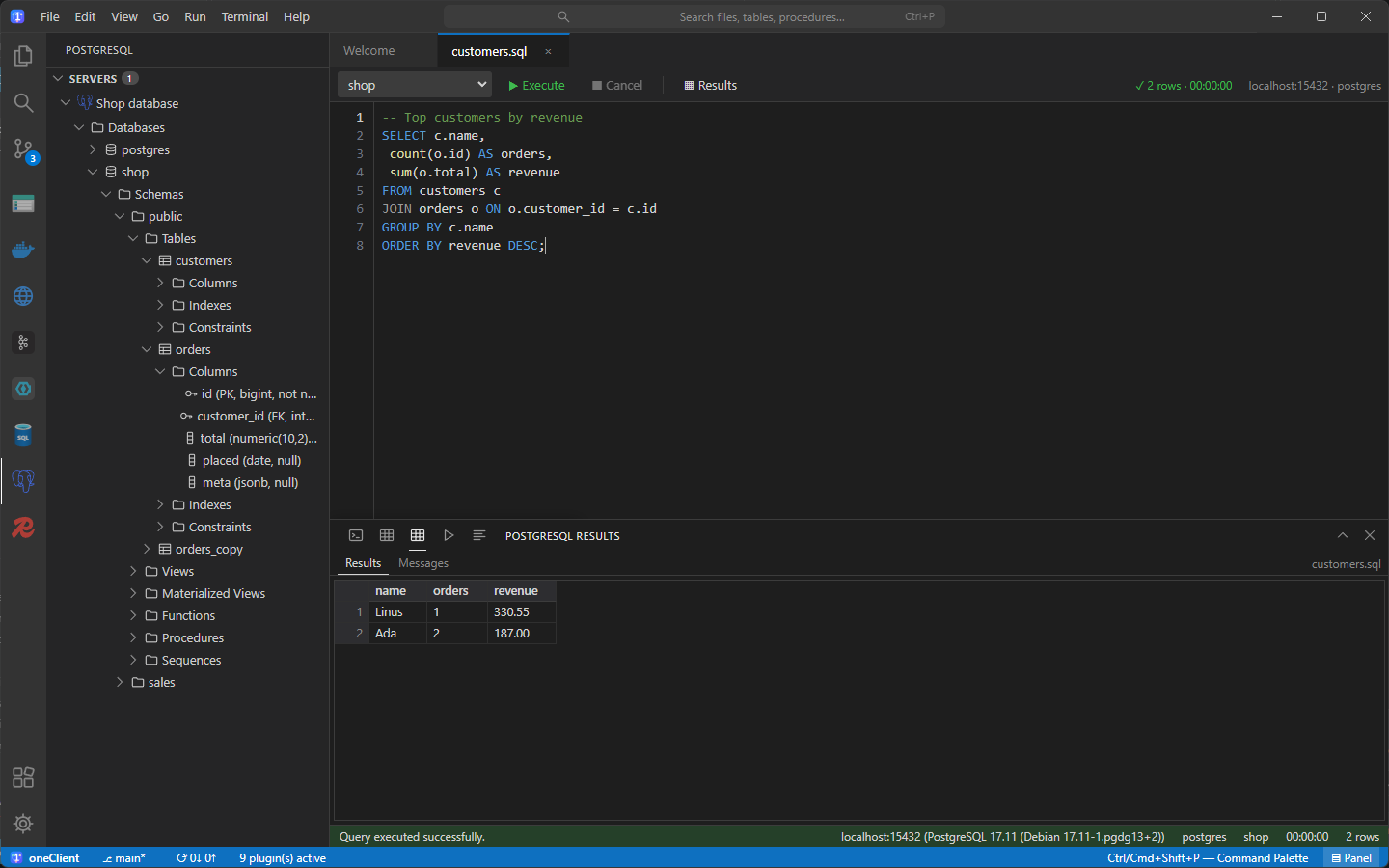
IntelliSense, multiple result sets, execution plans, query history, a staged table editor, CSV import and SSH tunnels — for PostgreSQL, SQL Server and MySQL.
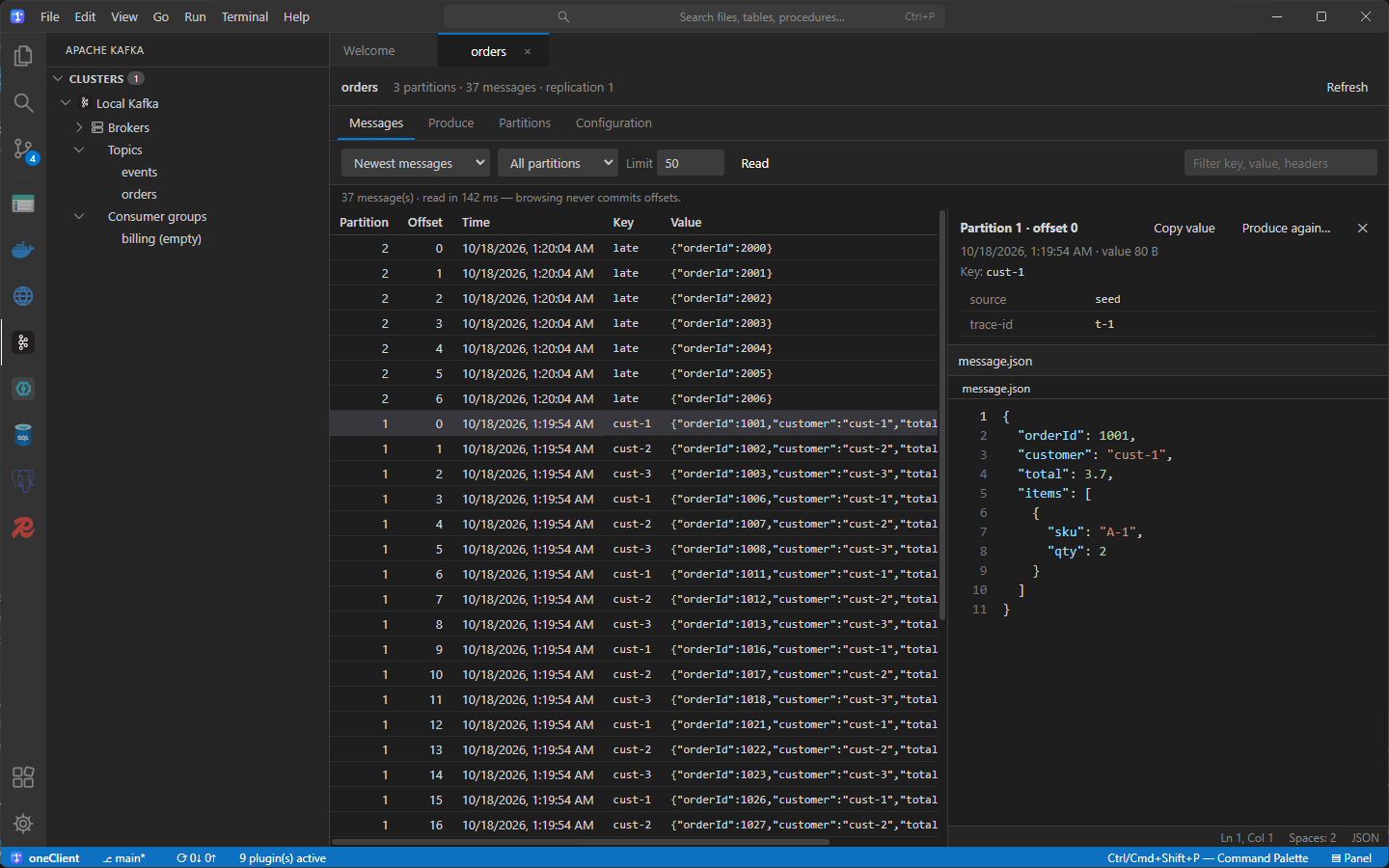
Topics, consumer groups, a message browser with filters, and a producer.
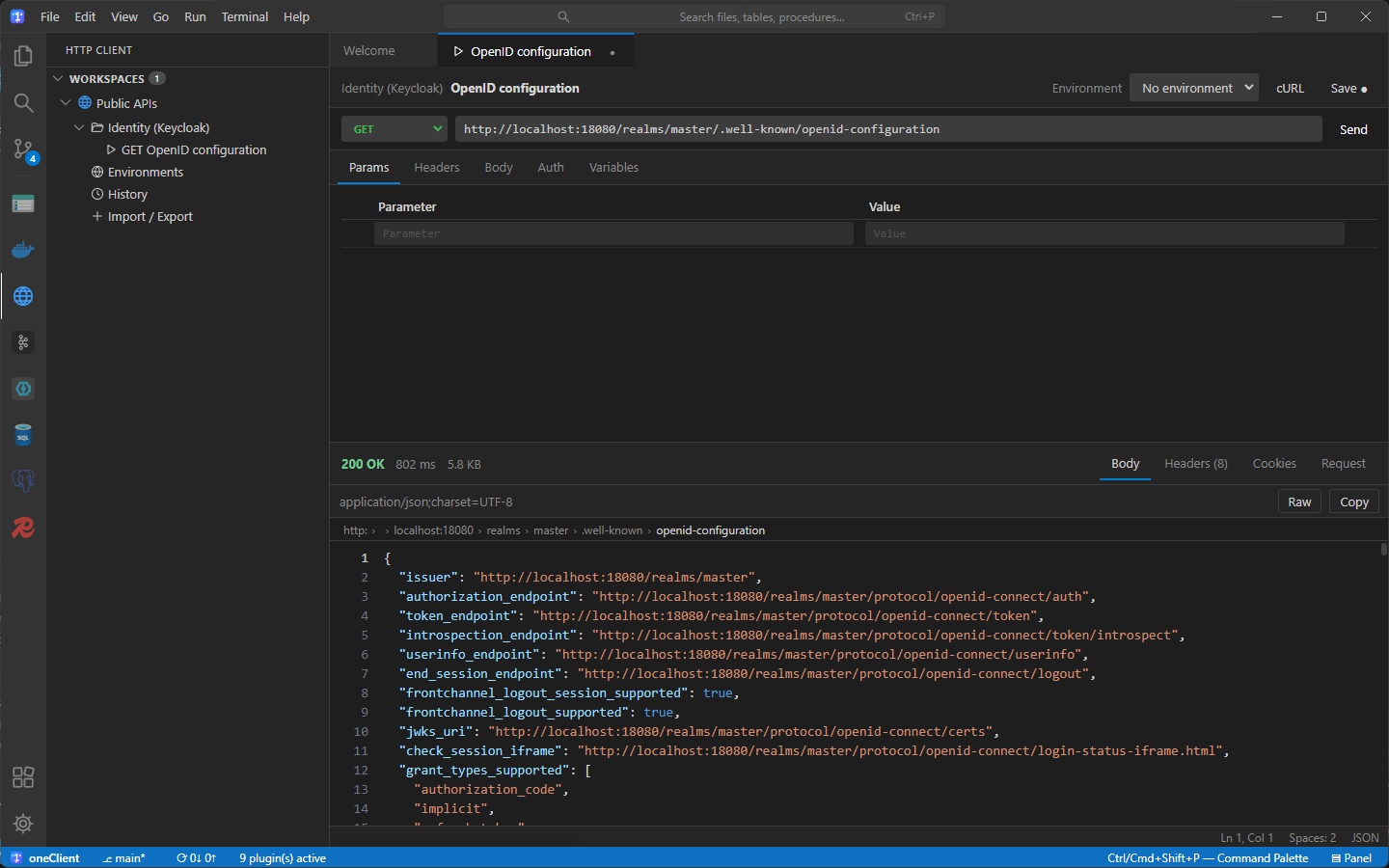
Collections, environments, Postman import, .http files with a ▶ per request.
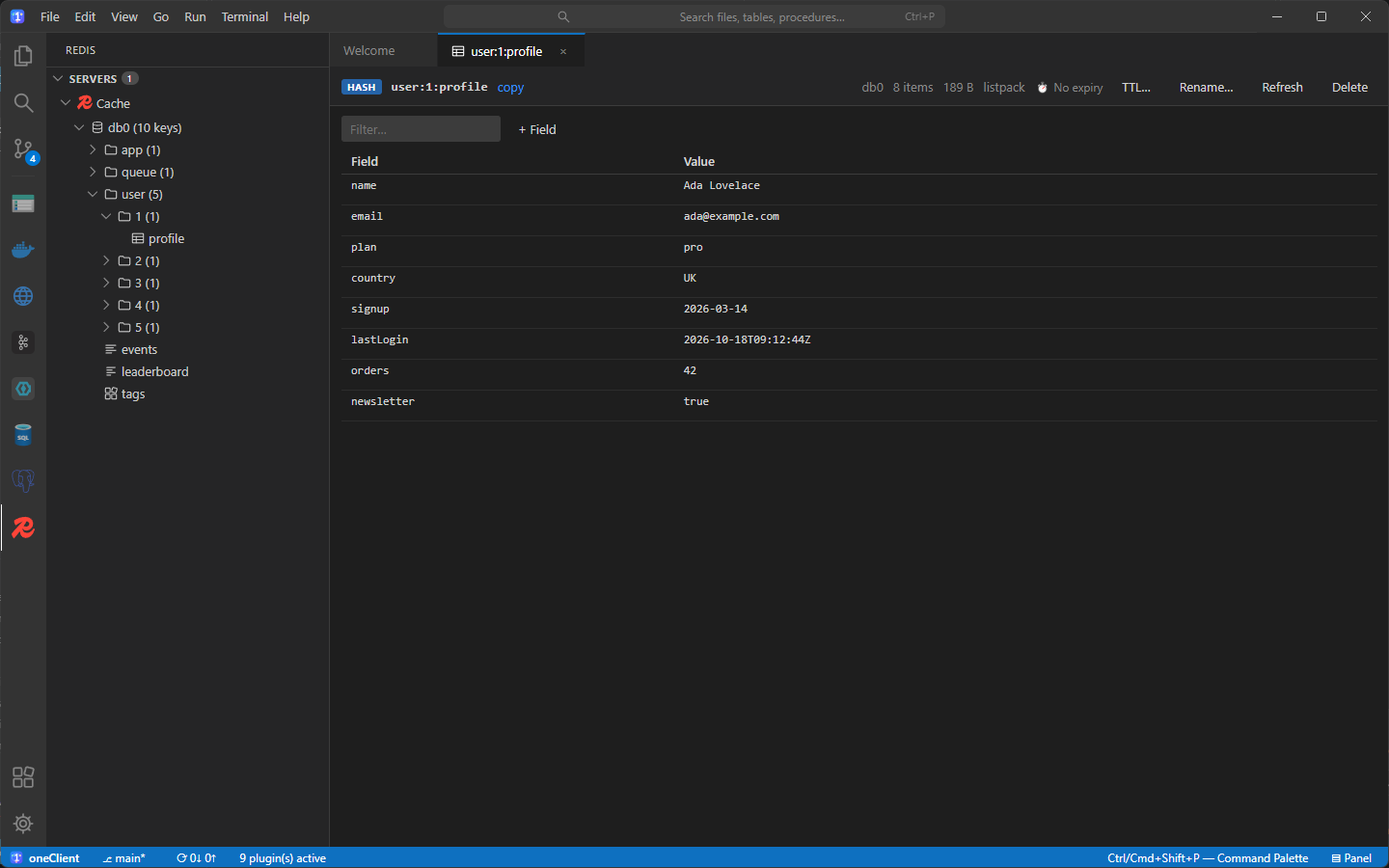
Namespace tree and editors for every data type, with TTL.
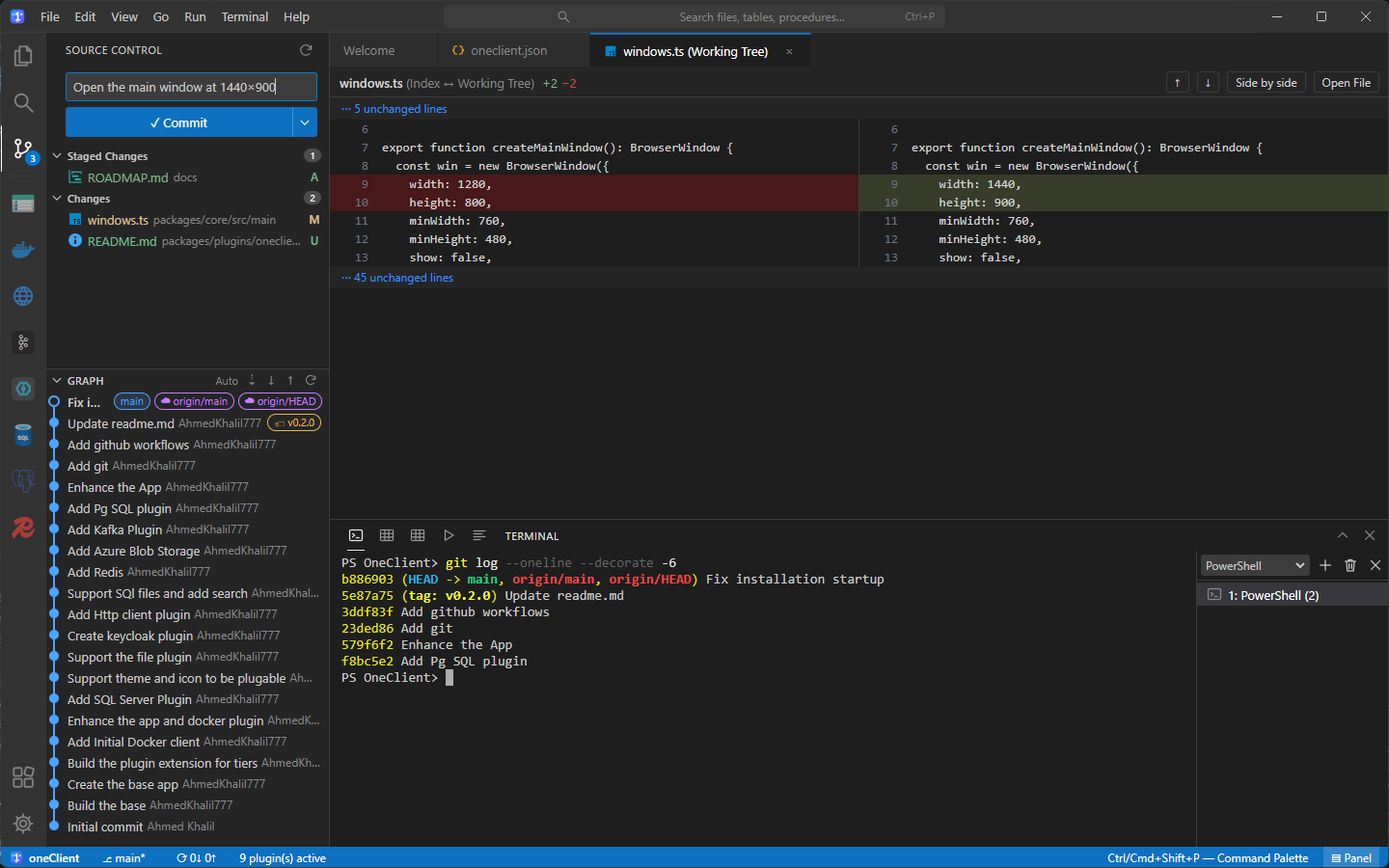
Source control, a commit graph, and background tasks with live output.
~/.oneclient; passwords in your OS keychain. Export and import connections.Plugins
Each runs in its own process, so one crashing never takes the rest down. Enable or disable them live.


Built to be extended
The core has no tool-specific code at all. A plugin declares what it contributes in a manifest and implements it with a small, typed API — tasks, notifications, output channels, secrets, the workspace and other plugins' connections are all one call away.
@oneclient/plugin-apiexport function activate(context: PluginContext) {
context.registerCommand({
commandId: "hello.run",
async execute() {
await context.tasks.run(
{ title: "Say hello", cancellable: true },
async (task) => task.log("Hello from a plugin\n"),
);
await context.notifications.success("Done", {
actions: [{ label: "Show output", commandId: "hello.output" }],
});
},
});
}Run it your way
Native app for Windows, macOS and Linux. Passwords go to your OS keychain.
DownloadA small Node server serves the whole workbench — terminal and Git included. Keep it behind HTTPS if you expose it.
docker build -t oneclient .
docker run -p 127.0.0.1:4180:4180 \
-v oneclient-data:/data oneclientTypeScript, React and Electron in a pnpm workspace. Clone it, hack on it, send a PR.
Build from sourceDownload
Free. Every plugin is included.
The installers aren't code-signed yet, so Windows SmartScreen and macOS Gatekeeper will ask you to confirm the first launch. Every release lists SHA-256 checksums. All releases
Open source, MIT
oneClient is free and MIT-licensed, and it gets better with every plugin, bug report and idea. If it saves you a tab or two, a star helps other developers find it.
Questions
oneClient combines them in one VS Code-style app: PostgreSQL, SQL Server and MySQL / MariaDB clients, Apache Kafka, Redis, an HTTP client with Postman import, Docker, Azure Blob Storage and Keycloak. It is MIT-licensed and free.
Right-click a table and oneClient reads your foreign keys to build an editable aggregate: a paged list of the root rows, a form for each row, and its related tables — one-to-many and many-to-many — as tabs that open the same way. For example an Order with its Items, their Notes and its Tags. The configuration is a plain .aggregate.json file you can edit and commit.
No. There is no account and no telemetry. Connection passwords are encrypted with your operating system's keychain, and the AI assistant only talks to the provider you configure with your own API key.
Yes. Besides the desktop app for Windows, macOS and Linux, there is a self-hosted web version: a small Node server you open from any browser, with a Dockerfile included.
PostgreSQL (including Azure Database for PostgreSQL, AWS RDS / Aurora, Supabase, Neon and TimescaleDB), Microsoft SQL Server, and MySQL / MariaDB, with query windows, a table data editor, CSV import, execution plans and SSH tunnels.
The AI Assistant plugin chats with Claude, OpenAI, Gemini, DeepSeek, Kimi, GLM, Grok, Mistral, Qwen, OpenRouter, Ollama or any OpenAI-compatible server, using your own API key. It can list tables, run read-only SQL and propose file edits — anything that changes data waits for your approval.
Yes. Plugins declare connection types, explorer trees, editors, commands, menus and title-bar quick actions in a manifest, and run in their own process. The plugin API is a typed package, @oneclient/plugin-api.
Download oneClient, point it at a database, and keep working in one place.